
AI Ads Creator: Build Product Ads From Winning Ad Blueprints
Create complete ecommerce ads with AI using proven ad formats or real Facebook ad winners. Choose your product, pick a blueprint, and generate campaign-ready creative and copy.




What Is an AI Ads Creator?
An AI ads creator uses artificial intelligence to turn product information, images, and advertising ideas into finished ad creatives and copy.
Sell The Trend’s AI Ads Blueprint goes one step further. Instead of asking you to start with a blank prompt, it lets you choose an advertising blueprint based on a proven ad format or an existing winning Facebook ad for inspiration.
The AI then uses your product and selected advertising approach to generate:
- Ad creative built around your product
- Headline matched to the advertising angle
- Primary ad text explaining the product and offer
- Description for supporting ad copy
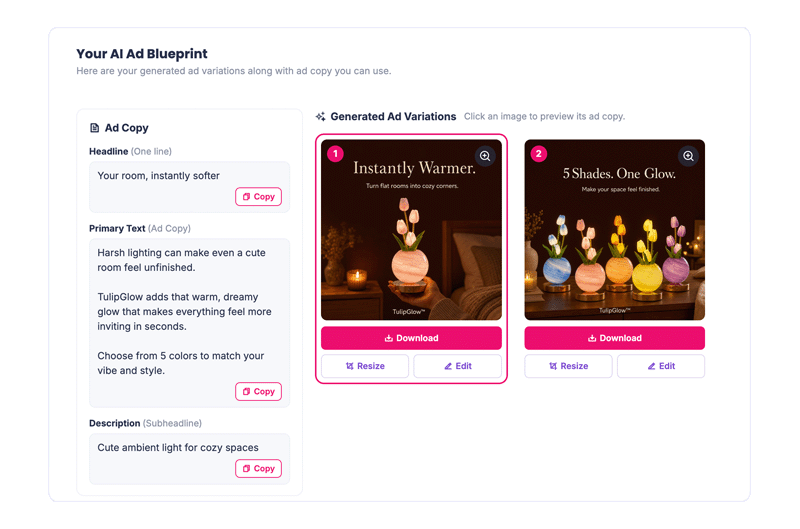
- Multiple creative variations to review and test
- Meta-ready sizes for different placements
You get a complete starting point for your campaign without having to invent the concept, write separate AI prompts, design the creative, and resize everything manually.
Create Your AI AdHow to Create Ecommerce Ads With AI Ads Blueprint
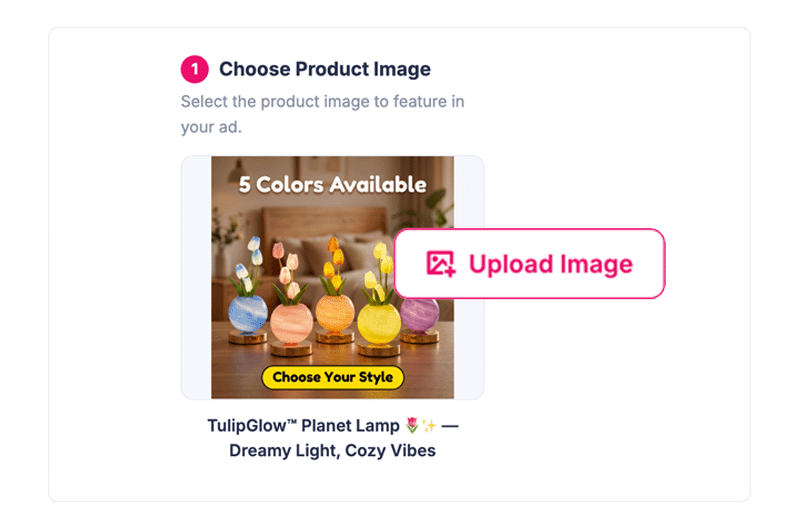
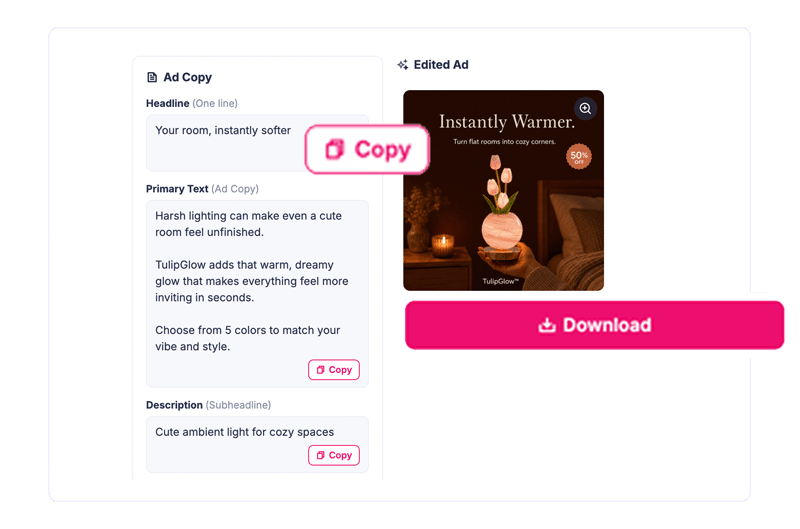
Step 1: Choose Your Product
Start with a winning product you’ve discovered inside Sell The Trend or add your own product information and images. Instead of rebuilding the product brief manually, AI Ads Blueprint uses the product details and visuals as the foundation for your new ad.
Create Your AdStep 2: Choose an Ad Blueprint
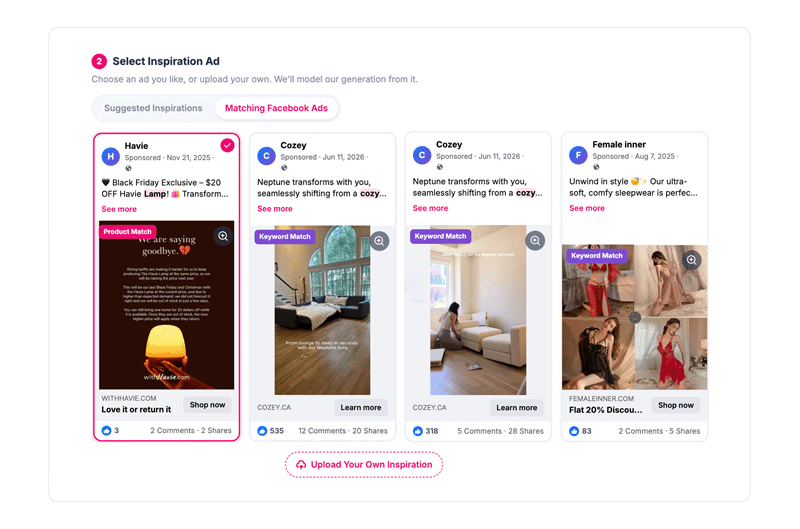
This is where AI Ads Blueprint differs from starting with a blank AI prompt. Choose from suggested winning ad formats, select inspiration from matching ads found through Sell The Trend’s Facebook Ads Explorer, or upload your own inspiration. The system identifies the advertising approach behind the creative — such as problem/solution, benefit-focused, transformation, or product-in-hand — and uses that structure as inspiration for your new ad.
Choose Your BlueprintStep 3: Generate Complete Ad Variations
AI Ads Blueprint combines your product with the selected advertising approach to create multiple ad concepts. Each generated option can include the creative, headline, primary text, and description, giving you complete advertising concepts instead of just an AI-generated image. Review the variations and choose the direction that fits your campaign.
Generate My AdsStep 4: Edit and Iterate
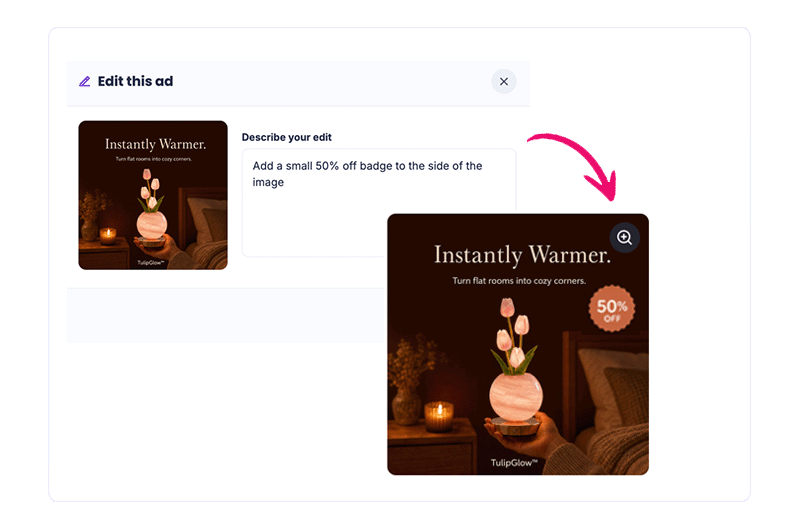
Want a different message, layout, or creative direction? Edit the generated ad and iterate on the result without rebuilding everything from scratch. This makes it easier to turn one strong concept into additional creatives for testing.
Start CreatingStep 5: Resize for Meta Placements
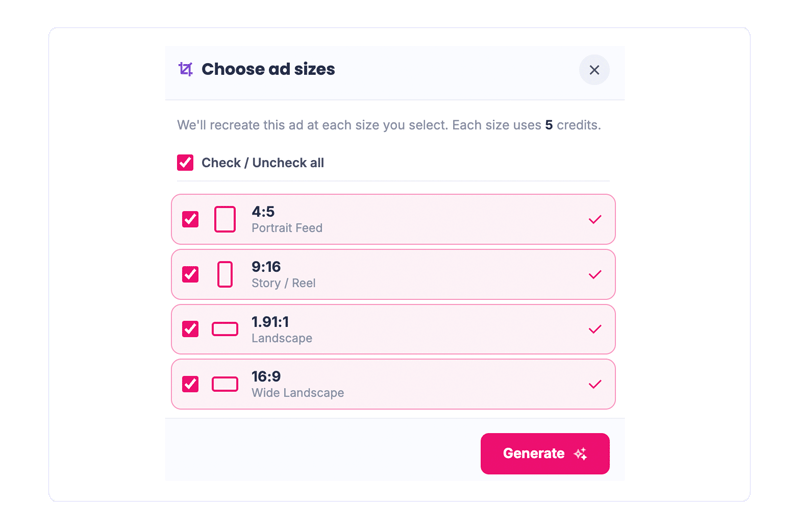
Turn the selected creative into multiple placement-ready sizes, including 4:5 Portrait Feed, 9:16 Stories and Reels, 1.91:1 landscape placements, and 16:9 wide landscape creative. The product, advertising concept, and messaging stay consistent while the creative is adapted to different campaign placements.
Start CreatingStep 6: Download and Launch
Download your finished creative, copy your generated ad text, and move directly into campaign setup. You go from product → inspiration → complete ad → campaign-ready creative in one connected workflow.
Launch My Ads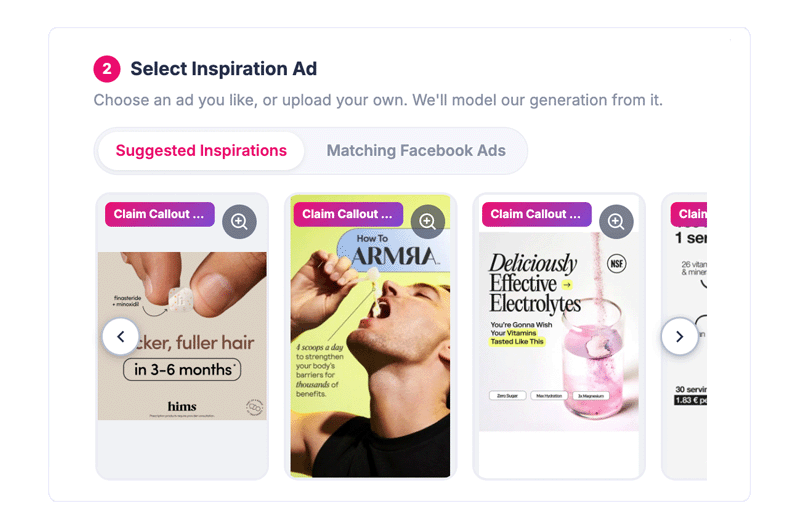
Stop Starting Every Ad From a Blank Page
Most AI advertising workflows still make you decide what the AI should create.
You choose the product. Then you write a prompt. Then you rewrite the prompt. Then you generate an image. Then you write the ad copy separately. Then you resize the creative for each placement.
AI Ads Blueprint changes the starting point.
- Start with an advertising approach that already gives the AI direction.
- Choose from proven ad formats, explore matching Facebook ads for inspiration, or provide your own reference creative.
- In simple terms, you show the AI the type of ad you want before asking it to build one.
That gives you a structured starting point for generating new ads around your own product — without manually recreating another advertiser’s creative.
Create Your AI AdAI Ads Blueprint vs. Creating Ads From Scratch
| Ad Creation Step | Sell The Trend AI Ads Blueprint | Blank-Prompt AI Workflow | Manual Ad Creation |
|---|---|---|---|
| Choose a product | Use a Sell The Trend product or add your own | Gather product information manually | Gather product information manually |
| Find an ad concept | Choose a proven format or Facebook ad inspiration | Describe the concept through prompts | Research and develop the concept yourself |
| Creative direction | AI models the selected advertising approach | Depends on prompt quality | Built manually |
| Generate creative | Generated from product + blueprint | Separate image-generation workflow | Design manually |
| Generate ad copy | Headline, primary text and description included | Usually requires additional prompts | Write manually |
| Create variations | Generate multiple concepts from the workflow | Repeat prompts and generations | Rebuild creatives manually |
| Resize creative | Built-in Meta placement resizing | Use another workflow or tool | Resize each design manually |
| Final workflow | Product → Blueprint → Ad → Resize → Download | Multiple prompts and tools | Multiple manual production steps |
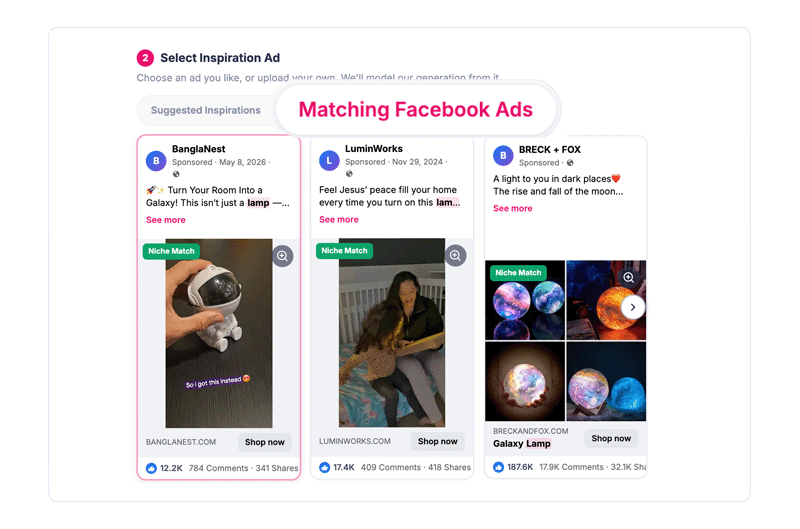
Turn Winning Facebook Ads Into Inspiration for Your Next Creative
Finding an interesting Facebook ad is useful. Turning what you learned from it into a new creative for your own product is where the work usually starts.
AI Ads Blueprint connects those two steps. Use Sell The Trend’s Facebook Ads Explorer to discover ads and products already being promoted. When you find an advertising approach you like, use it as inspiration for your own AI-generated creative.
Discover an ad → understand the approach → select it as inspiration → apply the approach to your product → generate your own ad.
You are not simply collecting ads to look at. You’re turning competitive advertising research into an actionable creative starting point.
Create Your AI AdWhy Use a Blueprint-Based AI Ads Creator?
Most sellers don’t struggle because AI cannot generate an image. They struggle with deciding what ad to make in the first place. AI Ads Blueprint helps solve that first.
-
Start With Inspiration
Choose a proven advertising format or use an existing Facebook ad as creative inspiration instead of beginning with an empty prompt. -
Generate Creative + Copy Together
Generate the visual creative, headline, primary text, and description as one connected advertising concept. -
Create Multiple Variations
Generate different creative directions so you have more concepts to review, refine, and test. -
Resize Without Rebuilding
Adapt your chosen creative for Meta feed, Stories, Reels, and landscape placements without recreating the ad manually.
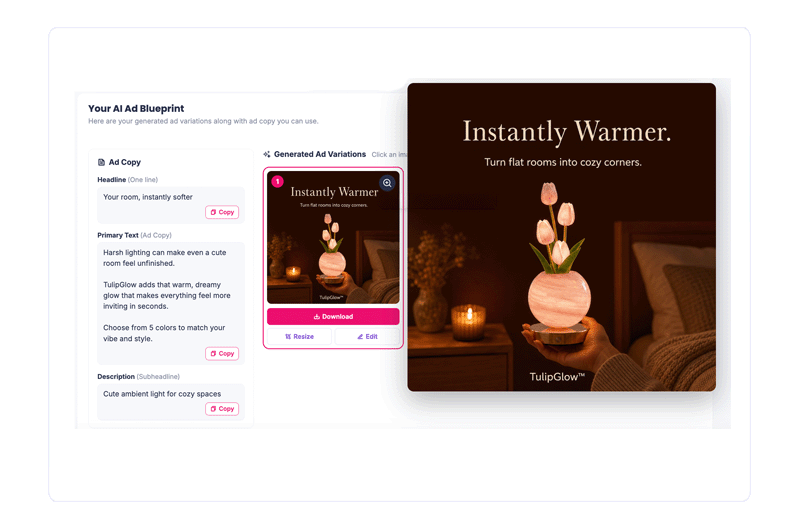
Find the Product. Find the Angle. Build the Ad.
AI Ads Blueprint is part of the larger Sell The Trend ecommerce workflow. You can discover a potential winning product with NEXUS AI, research advertising activity with Facebook Ads Explorer, and then turn those insights into a new creative with AI Ads Blueprint.
- Discover — Find products showing potential with Sell The Trend product research.
- Validate — Research how products and advertising approaches are appearing in the market.
- Create — Choose an advertising blueprint and generate new creative and copy around your product.
- Iterate — Generate variations, edit the creative, and explore different approaches.
- Launch — Resize, download, and move your finished creative into your advertising campaign.
One Product. Multiple Pieces of Campaign-Ready Creative.
AI Ads Blueprint creates more than an image. Each generation can give you the core assets needed to move from product idea to advertising campaign.
-
AI Ad Creative
A new product-focused visual generated around the advertising blueprint you selected.
-
Primary Ad Text
AI-generated copy that communicates the product problem, benefit, or selling angle.
-
Creative Variations
Multiple generated directions that let you compare concepts instead of relying on one creative.
-
Placement Sizes
Resize your selected ad into common Meta placement ratios without starting over.
What Can You Use an AI Ads Creator For?
-
Create Ads for New Product Tests
Found a product you want to test? Turn its product information into complete creative concepts without commissioning a design before you know whether the product has potential. -
Build New Creative Variations
Already advertising a product? Generate additional visual approaches and copy variations to expand your creative testing. -
Turn Ad Research Into Action
Move directly from researching ads in Facebook Ads Explorer to generating a new creative inspired by an advertising approach you discovered. -
Create Ads Without Advanced Design Skills
Use AI to handle the first creative draft while retaining the ability to edit, iterate, resize, and choose the final direction yourself.
How Do You Create a Product Ad With AI?
To create a product ad with AI, start by providing the product information and images the AI should advertise. Next, choose the advertising concept or creative style you want to use. The AI can then generate the visual creative and supporting ad copy. Review the results, edit the strongest version, resize it for your advertising placements, and download the finished assets.
With Sell The Trend AI Ads Blueprint, the process is:
Choose Product → Choose Ad Inspiration → Generate → Edit → Resize → Download
Create Your AI AdAI Ads Blueprint vs. General-Purpose AI Tools
| Capability | AI Ads Blueprint | General-Purpose AI |
|---|---|---|
| Built specifically for ecommerce ads | Yes | Not necessarily |
| Start from winning ad formats | Built into the workflow | Requires you to provide direction |
| Facebook ad inspiration | Connected to Sell The Trend ad research | Requires separate research |
| Product + creative generation | One connected workflow | Often handled through separate prompts or tools |
| Ad copy generation | Headline, primary text and description | Requires prompting and context |
| Placement resizing | Built in | Depends on the tool |
Real Results from Real Sellers
See how dropshippers from around the world are growing their stores with Sell The Trend.
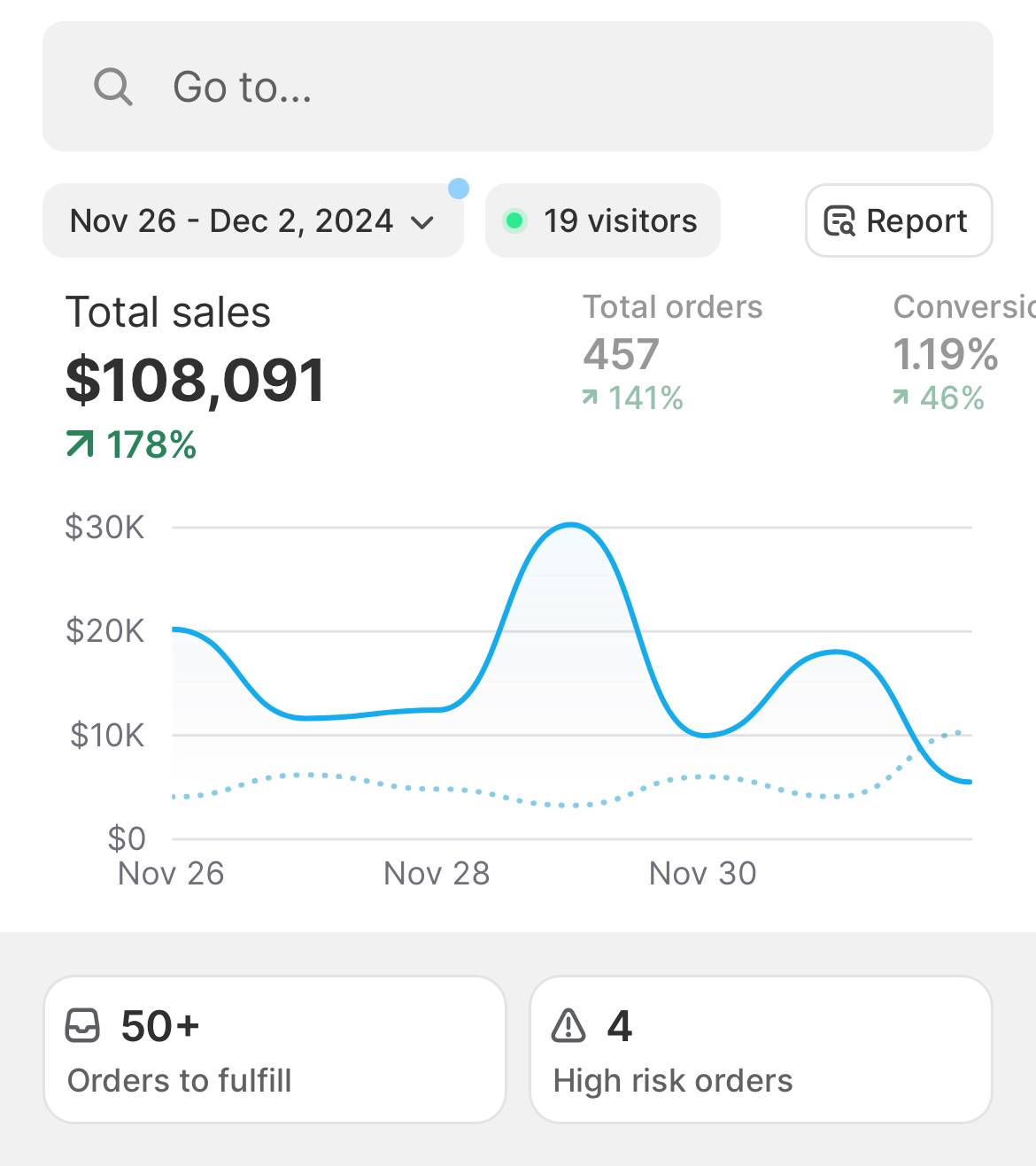
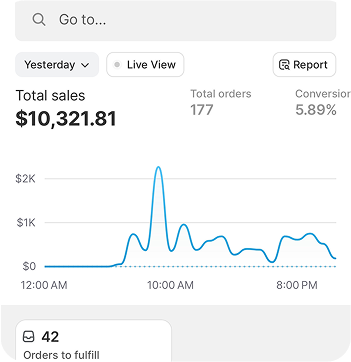
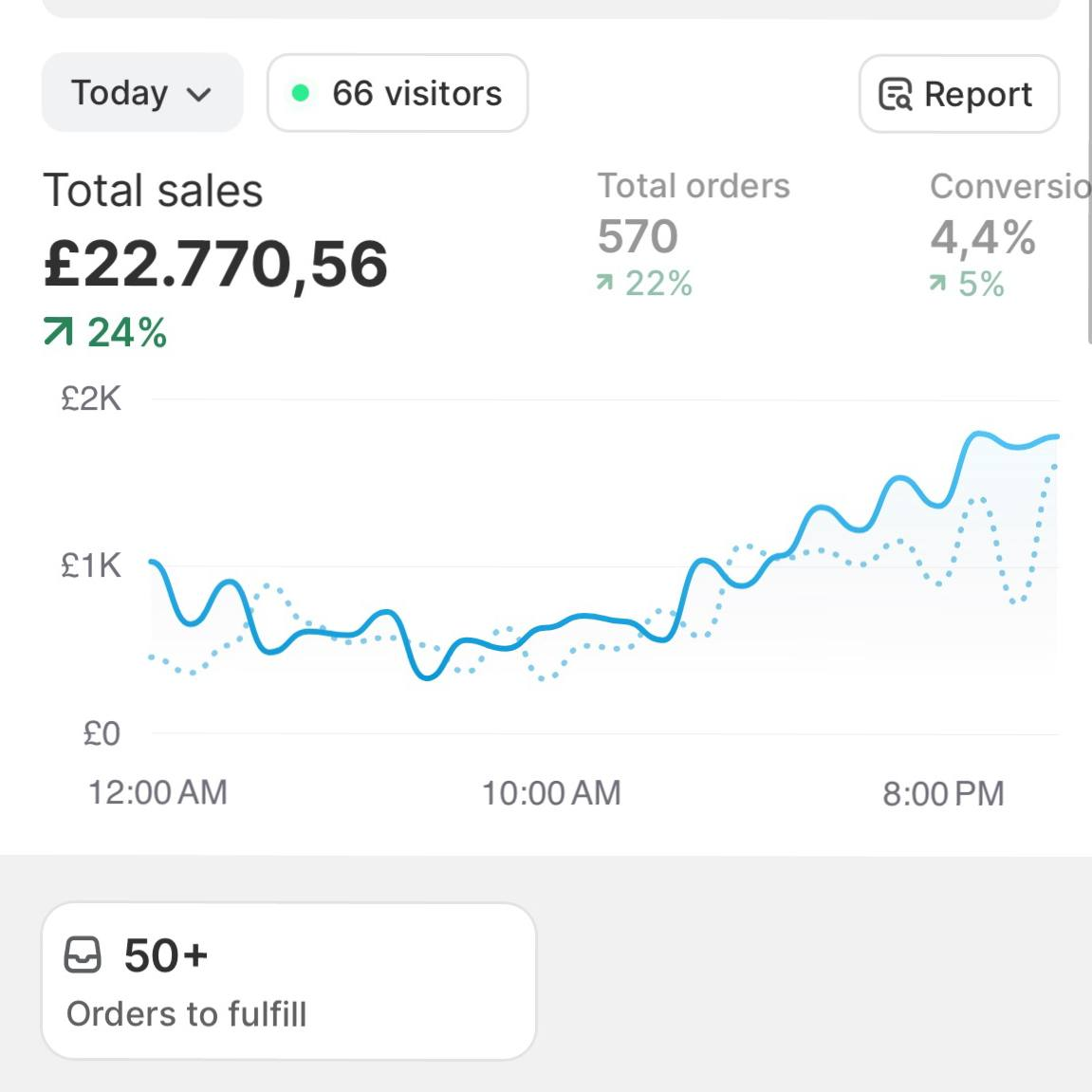
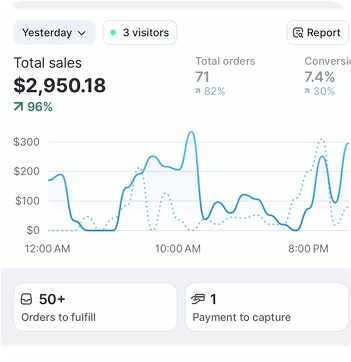



Success stories

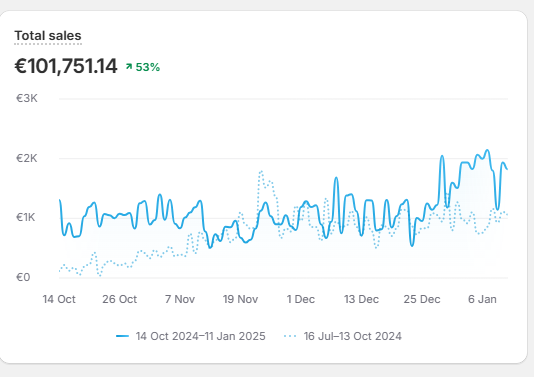
I’ve done over $100K from Sell The Trend and now have tools for video creation, Facebook targeting, landing page design as well as product research.
Kyle Brattan
Member Since 2020

Sell The Trend cut 60% of my tool overhead and helped me scale my fashion store faster than I thought possible.
Rebeca Matei
Member Since 2025

I am projecting products I have found on the site to generate $40,000 in sales by the end of this month. Cheers to Sell The Trend for serving as a platform to easily find winning products.
Yash Shah
Member Since 2019

As I close another month with $10,000+ in sales, I cannot forget to thank SELL THE TREND. I want you to know that with persistence, commitment & patience, you can become a “Success Story” too.
Nelson Muriuki
Member Since 2020




Frequently asked questions
What is Sell The Trend AI Ads Blueprint?
Sell The Trend AI Ads Blueprint is an AI ads creator for ecommerce sellers. It combines your product information with a selected advertising blueprint to generate ad creative, headlines, primary text, descriptions, and creative variations. You can then edit, resize, and download the finished ad.
How does the AI Ads Creator work?
Choose a product from Sell The Trend or provide your own product information. Next, select an advertising blueprint from suggested formats, Facebook ad inspiration, or your own reference. AI Ads Blueprint uses the product and selected advertising approach to generate new ad creative and copy.
What makes AI Ads Blueprint different from a normal AI image generator?
A general AI image generator typically starts with a text prompt. AI Ads Blueprint starts with your product plus an advertising blueprint, giving the AI both the item being advertised and the type of advertising approach you want to create.
Can I use winning Facebook ads as inspiration?
Yes. You can select inspiration from matching Facebook ads available through Sell The Trend’s advertising research workflow. AI Ads Blueprint uses the advertising approach as inspiration for generating a new creative around your product.
Does AI Ads Blueprint copy other advertisers’ ads?
AI Ads Blueprint is designed to use an ad’s creative approach as inspiration for generating a new ad around your product. The goal is to learn from advertising structures and concepts rather than manually recreate another advertiser’s creative.
Does the AI create the ad copy too?
Yes. AI Ads Blueprint can generate the headline, primary text, and description alongside the creative, so you don’t need a separate workflow just to draft the supporting ad copy.
Can I generate more than one ad?
Yes. AI Ads Blueprint can generate multiple ad variations so you can compare different creative directions and choose which ones you want to refine or test.
Can I edit an AI-generated ad?
Yes. After generating an ad, you can edit and iterate on the creative instead of starting the entire process again.
Can I resize ads for Facebook and Instagram?
Yes. Generated ads can be resized into multiple common Meta advertising formats, including 4:5 portrait, 9:16 Story/Reel, 1.91:1 landscape, and 16:9 wide landscape.
Do I need graphic design or prompting experience?
No advanced design or AI prompting experience is required. Instead of describing the entire advertising concept from scratch, you select the product and the advertising blueprint you want the AI to work from.
Can I use my own product?
Yes. You can start with products available through Sell The Trend or provide your own product details and images.
Is AI Ads Blueprint only for dropshipping?
No. Although it integrates directly with Sell The Trend’s dropshipping and product research ecosystem, the workflow can be used to create ecommerce product ads from your own product information and images.
Check Out More of Sell The Trend’s Powerful Features
Marketing Tools
Complete marketing toolbox including video ads creator and Facebook audience creator
Learn MoreStore Automation
Complete stores automation including order fulfillment and inventory sync
Learn MoreSuccess Academy
Learn how to dropship, taking you from A to Z through store creation and product selection
Learn More