Created: 11 August 2026 Updated: 21 September 2026
Contents
Shopify dropshipping automation software helps ecommerce businesses scale faster by handling repetitive tasks such as order processing, inventory updates, customer emails, dropshipping fulfillment, and pricing rules automatically. Instead of increasing manual work every time sales grow, merchants can use connected systems to process higher order volumes while reducing errors, protecting margins, and freeing time for growth.
Most Shopify store owners eventually hit the same wall. Sales pick up, orders start rolling in, and suddenly the same person is packing boxes, answering customer emails, updating stock counts, checking suppliers, and trying to run ads at the same time.
The work that felt manageable at 20 orders a day can become difficult at 200. That is usually the point where an ecommerce growth strategy becomes important, as the manual work behind each sale can no longer keep pace with increasing order volume.
Shopify store automation is one way merchants get past that wall.
It means setting up systems and ecommerce automation tools that handle repetitive tasks, allowing a store to keep operating without someone manually touching every step. More advanced tools can also turn store and product data into decisions.
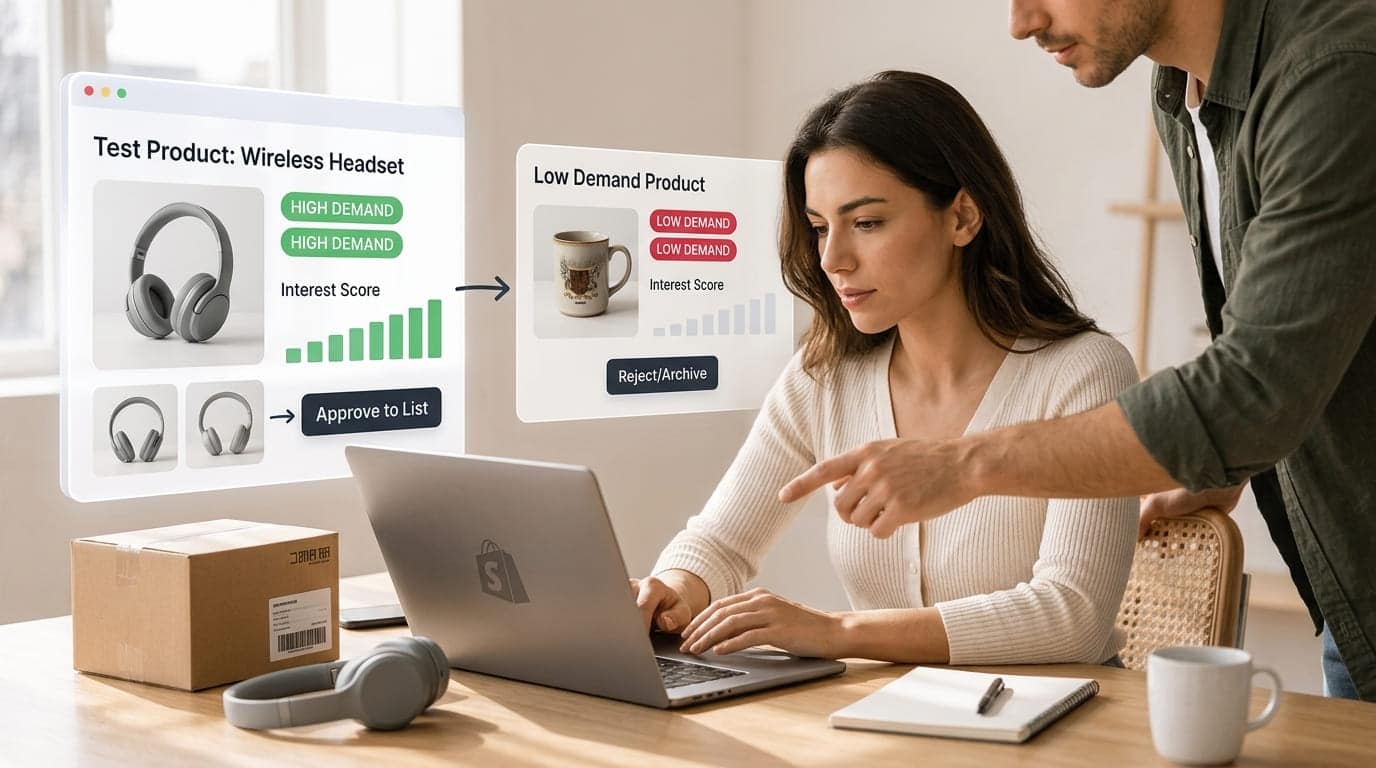
While ecommerce automation tools handle repetitive store workflows, revenue intelligence platforms help businesses understand how operational activity affects financial performance. Tolmete, an AI-first revenue intelligence platform, connects operational data with financial outcomes to help teams identify margin risks and make faster, data-driven decisions. For dropshipping businesses, platforms such as Sell The Trend take dropshipping store automation into product discovery and fulfillment by combining AI-powered product research, predictive trend detection, supplier automation, and other dropshipping workflows in one system.
Whatever tools a business chooses, the objective is similar: spend less time on repetitive ecommerce operations and more time improving products, marketing, margins, and the customer experience.
Key Takeaways
Shopify automation reduces repetitive manual work across orders, inventory, marketing, customer support, fulfillment, and pricing.
Automation makes ecommerce scaling more efficient because order volume can increase without requiring labor to increase at the same rate.
Dropshipping automation is especially important because merchants must coordinate products, suppliers, inventory, pricing, fulfillment, and tracking.
AI-powered tools can automate decisions as well as tasks, including product research and trend detection.
Sell The Trend combines Nexus AI product research, supplier automation, SellShop store-building tools, and inventory-related workflows for dropshipping businesses.
The best approach is incremental: fix a workflow first, automate it second, measure the results, and then expand.
Shopify store automation means using Shopify features, apps, integrations, and AI-powered ecommerce tools to perform predefined tasks automatically. A trigger—such as an order, inventory change, customer action, or supplier update—causes another action to happen without requiring the merchant to complete it manually.
Automation gets tossed around like a magic word, so it helps to be specific.
A few simple Shopify automation examples include:
A customer places an order, and a confirmation email goes out automatically.
Stock drops below five units, and the product gets tagged for reorder.
A shipment leaves the warehouse, and its tracking number reaches the customer automatically.
A shopper abandons a cart, triggering an email reminder.
A supplier changes inventory, and the corresponding product availability is updated.
An order meets predefined criteria and is automatically routed to the correct fulfillment workflow.
None of those actions is particularly complicated on its own.
The value appears when merchants stack small automations across the entire ecommerce operation. Each workflow might save only a few minutes, but those minutes multiply quickly as daily order volume increases.
Shopify supports many workflows through Shopify Flow and its broader app ecosystem, and merchants do not need to write custom code for many common automations.
Dropshippers can go further by connecting product research and supplier workflows. Sell The Trend, for example, uses its Nexus AI technology for predictive product research while also supporting supplier automation and other dropshipping operations.
The important rule is to understand the process before automating it. Automating a messy workflow usually creates a faster version of the same mess.
No title
Pro Tip: Map a workflow from beginning to end before installing another automation app. Identify the trigger, every action that follows, exceptions requiring human review, and the final desired outcome.
Why Does Automation Matter When You Want to Scale a Shopify Store?
Automation matters because manual ecommerce work usually increases alongside sales, while an automated workflow can process significantly more activity without requiring the same increase in human effort. This allows Shopify businesses to increase order volume while keeping routine operational work, response times, and error rates under greater control.
Growth exposes weak spots.
A process that runs smoothly through manual effort at low volume can crack under pressure.
The pattern often looks like this:
The situation: Orders increase, and the team continues handling each task manually.
The consequence: Employees fall behind, mistakes increase, customers wait longer, and owners work more hours.
The approach: Repeatable tasks are automated while exceptions remain under human control.
The outcome: The business can process more orders without increasing operational work at exactly the same rate.
That final point is the core reason ecommerce automation matters for scaling.
Manual work generally grows with sales. Automated workflows behave differently. Once an automation is configured correctly, the same workflow can process increasing numbers of qualifying events without requiring someone to repeat the underlying action every time.
This creates operational leverage.
It also frees attention for work that cannot easily be automated: finding better products, improving advertising, building supplier relationships, creating offers, analyzing margins, and improving the customer experience.
For dropshipping stores, this distinction is particularly important because the merchant may be managing suppliers and products from AliExpress or other sourcing networks without physically controlling inventory.
Which Shopify Tasks Should Ecommerce Businesses Automate First?
The best Shopify tasks to automate first are high-volume, repetitive processes with predictable rules. For most growing ecommerce businesses, that means order management, inventory synchronization, email marketing, customer support triage, fulfillment, and pricing. Automating these workflows first can remove substantial operational friction without handing critical strategic decisions entirely to software.
Here is how the main automation opportunities compare:
Ecommerce Area
Manual Approach
Automated Approach
Primary Benefit
Order management
Review and route each order
Rule-based tagging and routing
Faster processing
Inventory
Update stock manually
Real-time or automated inventory sync
Fewer stock errors
Email marketing
Send campaigns manually
Triggered customer flows
Better timing
Customer support
Answer every question individually
Automate FAQs and triage
Faster responses
Dropshipping fulfillment
Copy orders to suppliers
Automated supplier routing
Fewer fulfillment errors
Product research
Browse products manually
AI-driven predictive research
Faster, data-backed evaluation
Pricing
Monitor supplier costs manually
Rule-based price adjustments
Margin protection
The goal is not maximum automation. It is selective automation where software has a clear advantage over repetitive human work.
How Can Shopify Order Management Be Automated?
Shopify order management automation uses predefined rules to tag, route, flag, communicate, and process orders after a purchase. This reduces the number of manual steps between checkout and fulfillment while creating a more consistent process for every order.
Order handling is often one of the first areas to overwhelm a growing Shopify store.
Every order needs to be confirmed, categorized, routed, fulfilled, and tracked. Doing each step manually creates opportunities for skipped actions and delayed shipments.
Automation can:
Tag orders by size, location, value, or product type.
Route orders to the appropriate fulfillment workflow.
Flag high-value or suspicious orders for manual review.
Send confirmation and shipping updates automatically.
Split orders that ship from different locations.
Trigger internal notifications when an order meets specific conditions.
This keeps orders moving through a predictable process and reduces the chance that one slips through unnoticed.
For customers, the practical outcome can be fewer reasons to send “Where is my order?” messages because confirmation and tracking information are delivered consistently.
How Does Inventory Automation Prevent Stock Problems?
Inventory automation keeps product quantities synchronized as sales and stock changes occur, helping merchants avoid selling unavailable products or purchasing excessive inventory. For multichannel and dropshipping businesses, automated inventory sync is especially useful because stock levels may change across Shopify, marketplaces, warehouses, and third-party suppliers.
Stock problems cost money in two directions.
Run out of inventory, and you lose potential sales. Overstock, and cash remains tied up in products sitting on a shelf.
Manual counting across multiple ecommerce sales channels makes both outcomes more likely.
For merchants selling through Shopify alongside marketplaces such as Amazon, synchronization can also reduce overselling caused by outdated inventory counts.
Automation does not remove the need for good purchasing judgment. Instead, it gives merchants more current data on which to base those decisions rather than relying on a spreadsheet that may already be outdated.
How Can Email and Marketing Automation Increase Ecommerce Sales?
Ecommerce marketing automation sends messages according to customer behavior rather than requiring merchants to contact each shopper manually. Common workflows include welcome emails, abandoned cart recovery, post-purchase messages, review requests, product recommendations, and win-back campaigns, allowing Shopify stores to communicate at more relevant moments throughout the customer lifecycle.
Marketing is one of the strongest use cases for automation because timing matters.
A cart abandonment message delivered shortly after a shopper leaves a store serves a very different purpose from a generic campaign sent days later.
Automated ecommerce marketing flows can include:
Welcome sequences for new subscribers.
Abandoned cart reminders.
Post-purchase follow-ups.
Review requests.
Cross-sell and upsell offers.
Customer segmentation.
Win-back campaigns for inactive buyers.
Tools such as Klaviyo and Shopify Email allow merchants to build these flows once and have individual customers enter them when the appropriate trigger occurs.
The merchant writes and configures the sequence once, while customers move through it according to their own actions.
Automation can also support product marketing decisions. For example, product research systems can identify products showing stronger demand signals on platforms such as TikTok, Shopify stores, Amazon, or supplier marketplaces, giving merchants additional information before they commit advertising budget.
No title
Pro Tip: Do not automate every marketing message. Automate predictable lifecycle communications and keep major promotions, brand storytelling, and sensitive customer conversations under human review.
How Should Shopify Stores Automate Customer Support?
Shopify stores should automate repetitive customer support questions while routing complex, urgent, or sensitive issues to people. Chatbots and helpdesk rules can answer questions about shipping, returns, and order status, while support agents focus on refunds, complaints, unusual fulfillment problems, and situations where judgment is required.
Support volume grows alongside sales, making it easy for a small ecommerce team to fall behind.
Fully automating customer support can create its own problems because not every issue belongs in a chatbot workflow.
A better model is automation plus escalation.
Helpdesk tools and chat applications can automatically handle common questions such as:
“Where is my order?”
“How long does shipping take?”
“What is your return policy?”
“Can I change my shipping address?”
“Has my order shipped?”
Automation can also categorize incoming messages so urgent problems reach a person faster while routine FAQs receive an immediate response.
When a genuine issue comes in, the agent can receive the conversation alongside relevant order details instead of searching for the information manually.
Tools such as Gorgias, Tidio, and Re:amaze are commonly used for these types of ecommerce support workflows.
The objective is not to remove humans from customer service. It is to reserve human attention for the conversations where it adds the most value.
Why Is Dropshipping Fulfillment Automation So Important?
Dropshipping fulfillment automation connects customer orders with suppliers so order information, fulfillment updates, inventory changes, and tracking data can move between systems with less manual entry. As a dropshipping store adds more products and suppliers, automation becomes increasingly important for keeping fulfillment accurate and manageable.
The business model depends on passing orders to suppliers quickly and accurately. Doing that manually across dozens or hundreds of orders creates opportunities for delays and data-entry errors.
Dropshipping automation tools such as DSers and AutoDS can help send orders to suppliers, synchronize tracking information back to Shopify, and update customers without repeatedly copying details between systems.
Zendrop provides another supplier and fulfillment option for dropshippers.
Some platforms can also monitor supplier stock and product costs, helping merchants identify when an item becomes unavailable or when supplier pricing changes.
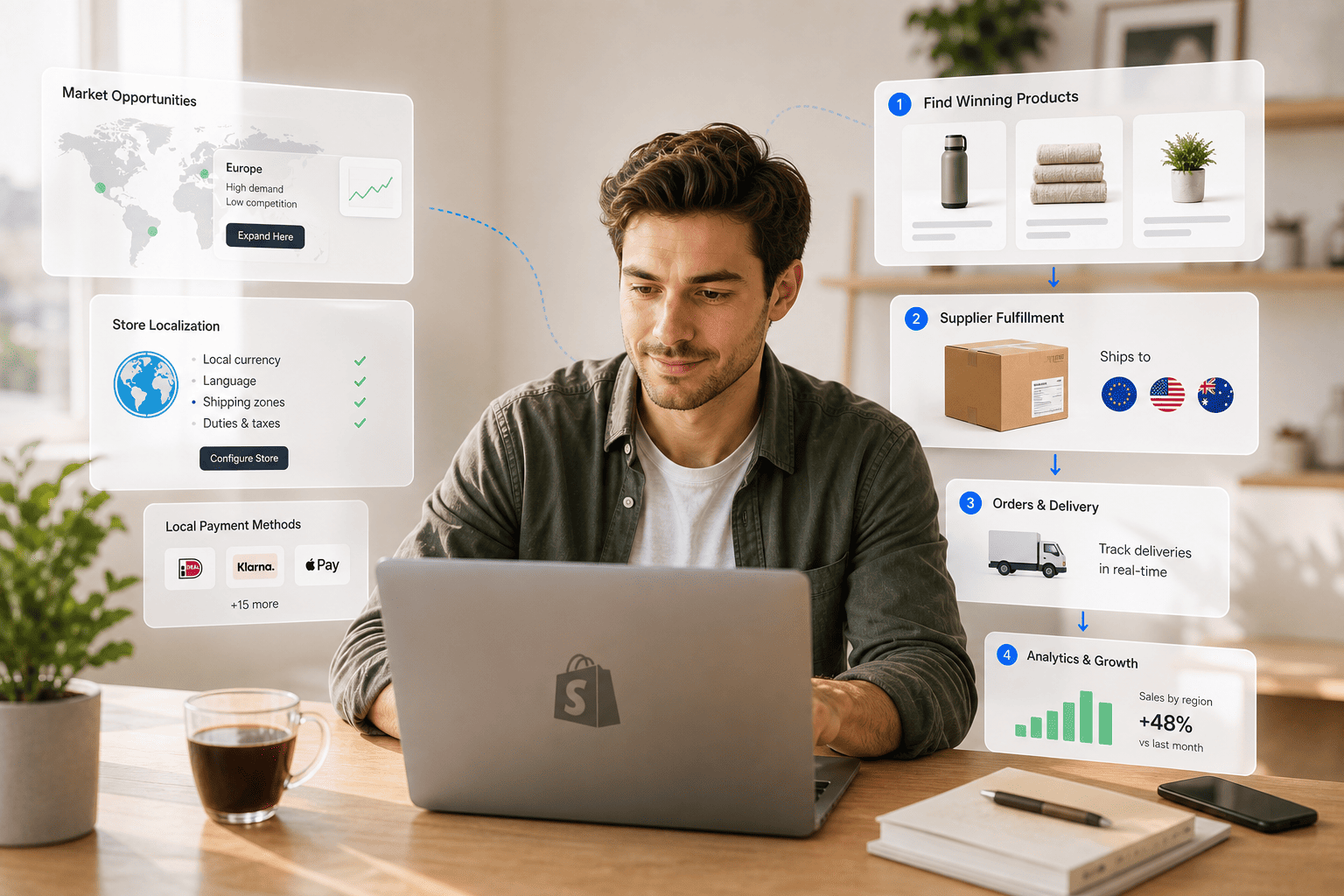
Sell The Trend takes a broader all-in-one approach by connecting dropshipping product research with supplier automation and store-building workflows. Its Nexus AI system is designed for predictive product discovery, while SellShop provides built-in store creation capabilities. Combining product research, supplier information, and fulfillment-related workflows can reduce the number of disconnected systems a dropshipper has to manage.
This becomes more valuable as catalog complexity increases.
Manually managing five products from one supplier may be reasonable. Managing 200 products from a dozen suppliers creates a very different operational challenge.
What Does a More Automated Dropshipping Workflow Look Like?
Consider a merchant researching products manually.
The process might involve browsing TikTok for trends, checking Amazon for competing products, searching AliExpress for suppliers, comparing prices in spreadsheets, importing a product into Shopify, and then monitoring inventory and supplier costs separately.
An AI-assisted dropshipping workflow can consolidate parts of that process:
Analyze product demand signals.
Identify potential winning products.
Evaluate suppliers.
Import or add products to the store.
Synchronize relevant product and inventory information.
Route qualifying orders into fulfillment workflows.
Return tracking information to the store.
Notify the customer.
Not every decision should be automated. Product quality, supplier reliability, branding, creative strategy, and customer experience still require judgment.
But reducing repetitive movement between systems can make a dropshipping business substantially easier to operate as its catalog grows.
How Can Pricing Automation Protect Dropshipping Margins?
Pricing automation uses predefined rules to change retail prices when supplier costs or other inputs change. For dropshipping stores, this can help prevent unnoticed supplier price increases from reducing or eliminating profit margins while still allowing merchants to define minimum prices, maximum prices, and manual-review conditions.
Pricing is an area merchants often automate later and with more caution.
For dropshippers especially, supplier costs can change. A retail price that produced a healthy margin last month can become less profitable if the supplier increases its cost and the merchant does not notice.
Automated pricing rules can:
Respond to supplier cost changes.
Maintain predefined markup rules.
Set minimum selling prices.
Set maximum price boundaries.
Flag major cost changes for review.
Help prevent products from accidentally selling below target margins.
Some ecommerce tools also monitor competitor prices.
That information should generally be treated as another decision signal rather than something to follow blindly. Competing entirely on price can damage margins and ignore differences in branding, shipping, product quality, and customer experience.
The point of pricing automation is therefore not to surrender pricing strategy to software. It is to protect against routine changes that could otherwise go unnoticed.
How Does Ecommerce Automation Save Time and Reduce Errors?
Ecommerce automation saves time by removing repeated data entry and reduces errors by applying the same predefined process each time a trigger occurs. It is particularly useful for repetitive tasks such as updating inventory, copying tracking numbers, tagging orders, routing fulfillment, and sending standardized customer communications.
Every task a merchant automates is one less task that must be repeated manually.
Across a full day of orders, emails, supplier checks, stock updates, and customer messages, those small tasks can add up to hours of operational work.
Error reduction can be equally valuable.
People make mistakes when they are tired, rushed, distracted, or completing the same task repeatedly. Common examples include:
Incorrect tracking numbers.
Mismatched inventory counts.
Forgotten follow-up emails.
Orders routed to the wrong process.
Missed supplier price changes.
Delayed customer notifications.
Automated systems apply the same configured rule each time.
They will not necessarily catch a mistake built into the automation itself, which is why testing matters. But properly configured workflows eliminate many inconsistencies caused by repetitive manual entry.
Fewer operational errors can mean fewer refunds, fewer support requests, and less time fixing avoidable problems.
No title
Pro Tip: Test automations using low-risk scenarios before applying them store-wide. Check what happens when data is missing, inventory reaches zero, an order contains products from multiple suppliers, or an automation encounters an exception.
Which Shopify Automation Tools Should You Consider?
The best Shopify automation stack depends on the problem being solved. Shopify Flow can handle store-level workflow rules, Klaviyo and Shopify Email support marketing automation, Gorgias and Tidio handle support workflows, while DSers, AutoDS, Zendrop, and Sell The Trend address different parts of dropshipping product sourcing and fulfillment.
The right answer is rarely to install every available app.
Too many overlapping Shopify apps can create integration conflicts, increase monthly software costs, complicate troubleshooting, and leave data fragmented across multiple platforms.
A steadier approach is:
Identify the area creating the most manual work.
Choose one tool or workflow to address it.
Configure and test it properly.
Monitor the results for a couple of weeks.
Fix any exceptions or problems.
Only then automate the next area.
Integrations matter as much as individual features.
If information cannot move between your ecommerce tools, employees may end up manually re-entering the same data—the exact problem automation was supposed to solve. As order volume grows, accounting needs to scale too. Webgility connects Shopify with QuickBooks to automate sales, fees, refunds, and payouts. With order-level reconciliation, merchants can match transactions more accurately and reduce manual work as the business grows.
What Is the Best Way to Start Automating a Shopify Store?
The safest way to automate a Shopify store is to start with one predictable, low-risk workflow, document how it currently operates, remove unnecessary steps, automate the repeatable actions, and measure the result. Once that process works reliably, merchants can apply the same method to inventory, marketing, support, fulfillment, and pricing.
Order confirmations and shipping notifications are often practical starting points because the desired outcomes are easy to define.
From there, merchants can move into more complex workflows.
Stage 4: Customer support Automate FAQs and message classification while maintaining human escalation.
Stage 5: Fulfillment Connect orders to suppliers or fulfillment providers.
Stage 6: Pricing and product intelligence Use rules and data-driven systems to monitor costs, margins, products, and demand signals.
This sequence keeps the merchant in control and makes it easier to determine which automations are creating measurable value.
Frequently Asked Questions About Shopify Store Automation
Can Shopify stores be fully automated?
A Shopify store can automate many operational tasks, including order routing, inventory updates, emails, fulfillment, tracking, and customer support triage. However, product strategy, supplier evaluation, branding, advertising decisions, and complex customer issues still benefit from human judgment.
What is Shopify Flow?
Shopify Flow is Shopify’s workflow automation system. It allows merchants to create trigger-condition-action workflows for tasks such as tagging orders, monitoring store events, creating internal notifications, and connecting supported apps.
What is dropshipping automation?
Dropshipping automation uses software to reduce manual work involved in product research, importing products, supplier management, order fulfillment, inventory synchronization, pricing, and tracking. Tools including DSers, AutoDS, Zendrop, and Sell The Trend automate different parts of this process.
Can AI help find winning dropshipping products?
AI can help merchants analyze product and market signals faster than purely manual research. Predictive product research platforms such as Sell The Trend’s Nexus AI are designed to identify and evaluate product opportunities, but merchants should still assess margins, competition, suppliers, shipping, and customer demand before launching a product.
Does ecommerce automation reduce mistakes?
Automation can reduce mistakes caused by repetitive manual data entry because predefined workflows perform the same action consistently. However, incorrectly configured rules can reproduce errors at scale, so automations should always be tested and monitored.
What should a Shopify store automate first?
Start with the repetitive process consuming the most time while requiring the least human judgment. Order confirmations, shipping notifications, inventory alerts, abandoned cart emails, and routine order tagging are common starting points.
How Can Shopify Automation Create a More Scalable Ecommerce Business?
Shopify automation creates scalability by separating sales growth from repetitive operational work. When routine processes such as order handling, inventory updates, marketing messages, fulfillment, and support triage run automatically, merchants can handle increasing demand while focusing more of their time on products, customers, marketing, and long-term growth.
Automation is not about removing yourself from your business.
It is about removing repetitive work that keeps you from running the business well.
Stores that scale efficiently are not necessarily the ones doing the most work manually. They build reliable systems so an increase in orders does not require an identical increase in working hours.
Start small.
Map how one process works today, fix anything broken in it, and then automate the repeatable steps. Once that process runs reliably, move to the next operational bottleneck.
For traditional ecommerce businesses, that might mean progressing from order management to inventory, marketing, and customer support.
For dropshipping businesses, it can also mean connecting product research, supplier management, inventory synchronization, pricing, fulfillment, and tracking. AI-powered dropshipping platforms can increasingly bring those functions together, while specialized tools remain useful when a merchant wants deeper control over an individual workflow.
The goal is a Shopify store that keeps its promises to customers while requiring less repetitive work from the people running it.
When higher sales no longer automatically mean a heavier manual workload, automation has done its job—and the business has more room to scale. Start your Sell The Trend Free Trial and see how automation can simplify your growth.
Lisa is an eCommerce and digital marketing specialist with over 6 years of experience helping online businesses grow through data-driven strategy and hands-on execution.
She has worked across dropshipping and direct-to-consumer channels, focusing on product research and performance marketing. At Sell The Trend, she creates practical, research-backed content to help merchants make confident decisions.